
Quick Activate is a speciality feature for use by operators with the need to rapidly deploy operations, such as emergency services.
- If the Quick Activate feature is enabled the + quick activate button will appear below the +Create operation button
- Click the + quick activate button
- The map will refresh and the emergency plan icon appears under search bar

- Click emergency plan icon and then click on the map in desired area
- Input circumference of the intended flight area
- The flight location and area will now appear on the map
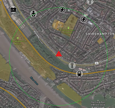
- Side panel appears with reduced version of the flight planning workflow

- Input date and time of intended flight
- Click done move to next stage
- A warning appears "the flight plan will not be submitted for approval or additional checks. After confirmation the flight plan will be directly pushed to UTM. Do you want to proceed? Click ok and continue."
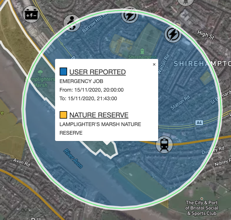
- The flight will now be sent to the UTM and appear on the map as user reported, emergency job.
Comments
0 comments
Article is closed for comments.