
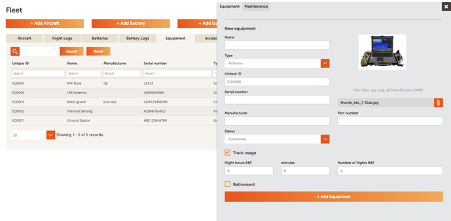
In the equipment section you can add any equipment you may use in your business, whether it’s equipment that is directly associated with flight operations or ancillary equipment such as battery chargers or laptops. These items can be added to a job so that users can track equipment and assign them to jobs.
- In the Fleet section, click Add Equipment
- Fill in the details of the new equipment
- If the equipment is functional and requires usage hours to be tracked tick the track usage If the item has previous hours to add you can now add this as Balance brought forward. All future jobs where the equipment is added will now be added to the starting balance.
Comments
0 comments
Article is closed for comments.