
When you are on site and ready to fly you can initiate your flight recording by doing the following:
- Select the intended aircraft from the Select aircraft to initiate a flight dropdown
- Select Start flight (take off) the flight will be started

- Select stop flight (land) when you have finished
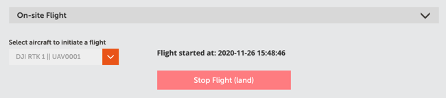
This will now be automatically saved as a flight log in the Flight logs section
Comments
0 comments
Article is closed for comments.